Dashboard
Background
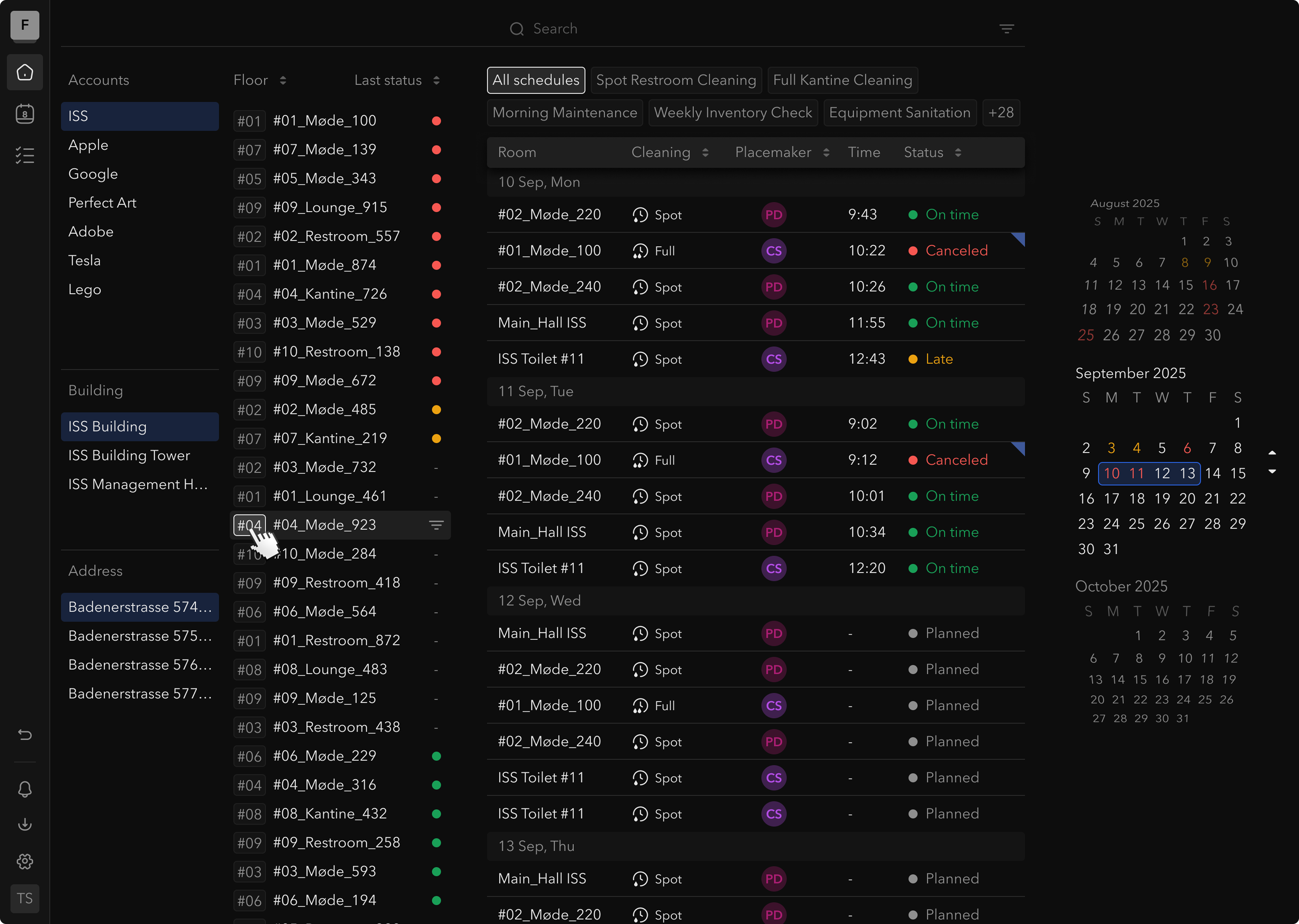
ISS Pure Space's cleaning management platform had evolved rapidly, and its original dashboard UI was struggling to keep up with new business workflows and data growth. I led a redesign of the main dashboard after observing firsthand — through user interviews and analytics — that our old interface no longer met user needs.
The goal was to improve real-time visibility into cleaning operations, simplify navigation, and better support the way managers monitor cleaning activities across many sites.
Challenges
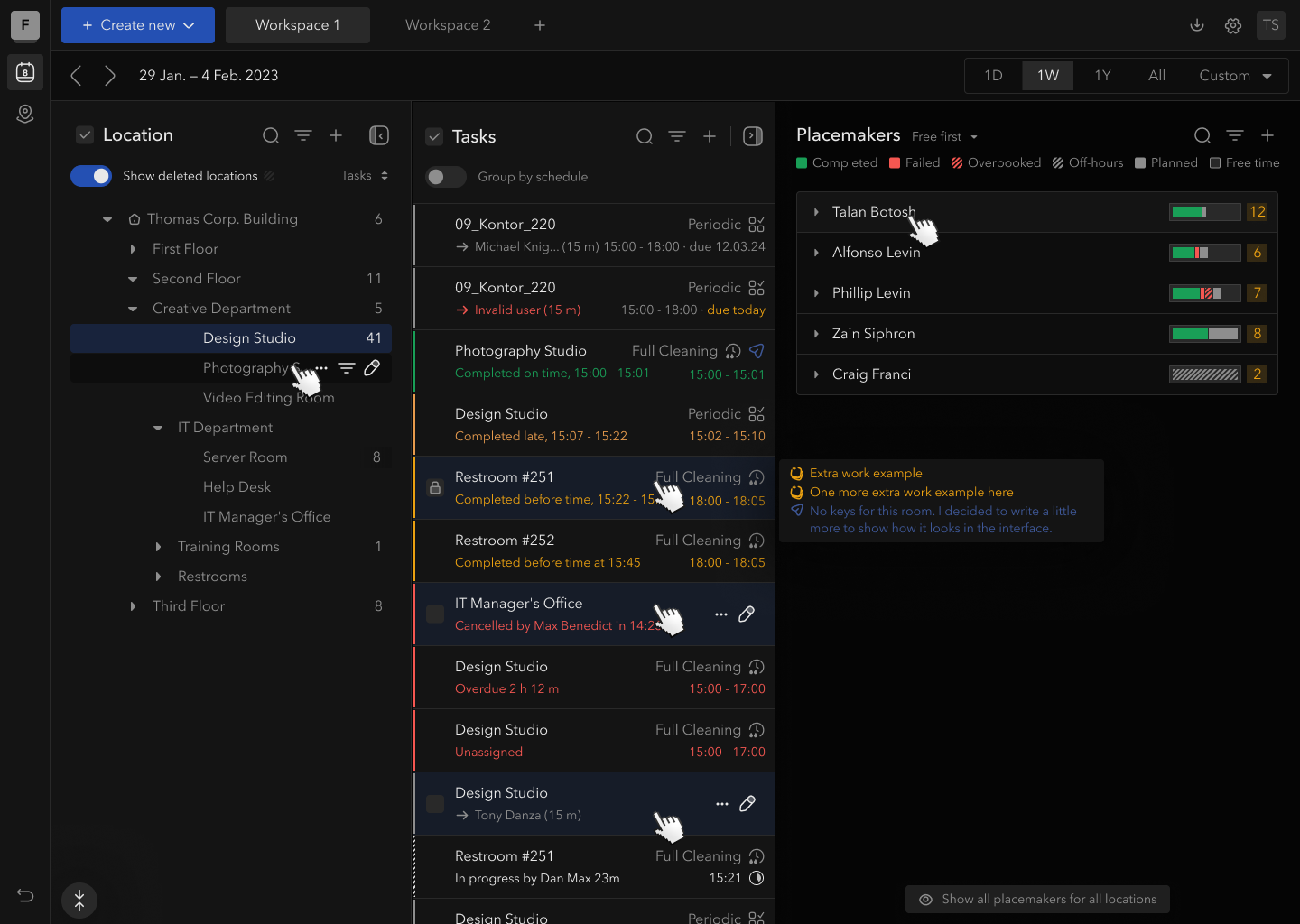
- Limited Status Visibility: Hard to see at a glance which areas were clean, in-progress, or falling behind. Users lacked a quick visual overview of daily progress.
- Fixed Time Frame: The old dashboard locked users into a one-week view of tasks. Little flexibility to view shorter or longer time scales on demand.
- Low Information Density: Only a handful of tasks were visible on screen. Important tasks could be buried off-screen.
- Cumbersome Navigation: The tree required drilling down five levels (Company → Building → Address → Floor → Room) for every location change.
Key Solutions
- One-Click Location Filters: Instead of a nested tree, users select Company, Building, Floor, or Room from a simple list with one click.
- Unified Smart Search: A global search bar for rooms, buildings, task names, or cleaners — all in one place.
- Dense Timeline: A scrollable chronological task list with real-time color-coded status. As cleaners update progress, status dots update live.
- Embedded Calendar: Highlights dates with critical failures in red. Click any date to jump the timeline to that day.
- Flexible Room Sorting: By default, rooms with incomplete cleans float to the top so managers see problems instantly.
Results
- ~90% of UI components drawn from the existing design system — fast development
- Managers identify issues faster with less effort
- One-click location filter replaces five-level tree navigation
- Operations team can proactively reallocate cleaners by spotting delay patterns in the dashboard
Task Allocation
Intro
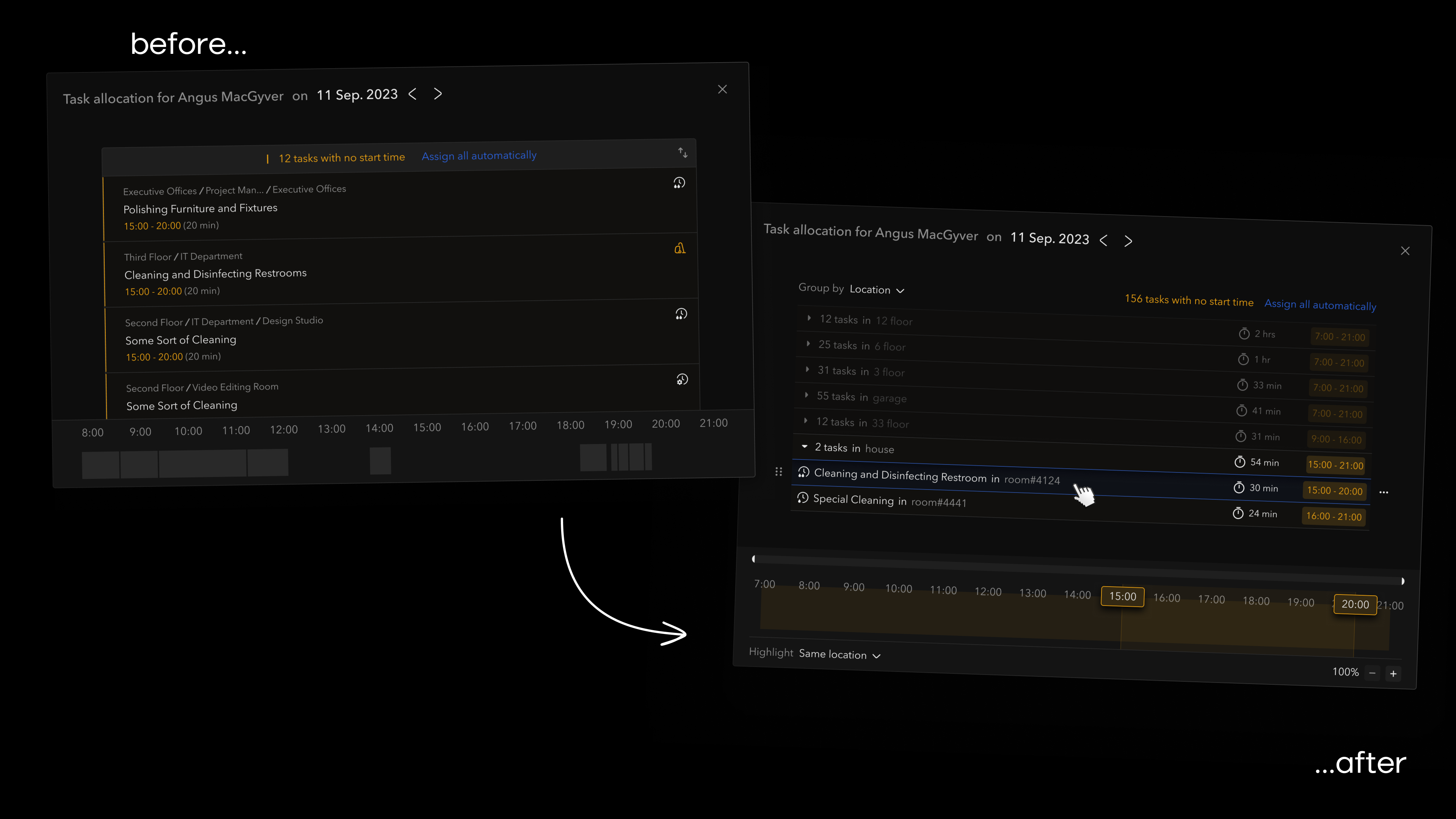
A case on allocating time slots for tasks to specific cleaners within Pure Space. We have a list of tasks with a recommended cleaning time corresponding to the contract with the client. The tasks are already assigned to a cleaner — the manager's job is to assign a time slot to each.
Problem
When launching the product in Belgium, a critical issue emerged: their approach differed from the original launch country, Denmark. In Belgium, the average task duration was reduced from 30 minutes to 1 minute, and the number of tasks per cleaner per day increased from 15 to 150.
Research
- Sometimes users don't necessarily create a precise route for cleaners
- Managers need complete task information when creating routes
- A common case: assignment based on a shared attribute, e.g. all tasks on the 4th floor
Solutions
Attribute Grouping: Introduced an option allowing users to group tasks based on chosen attributes — managers can efficiently assign task groups based on user-defined commonalities.
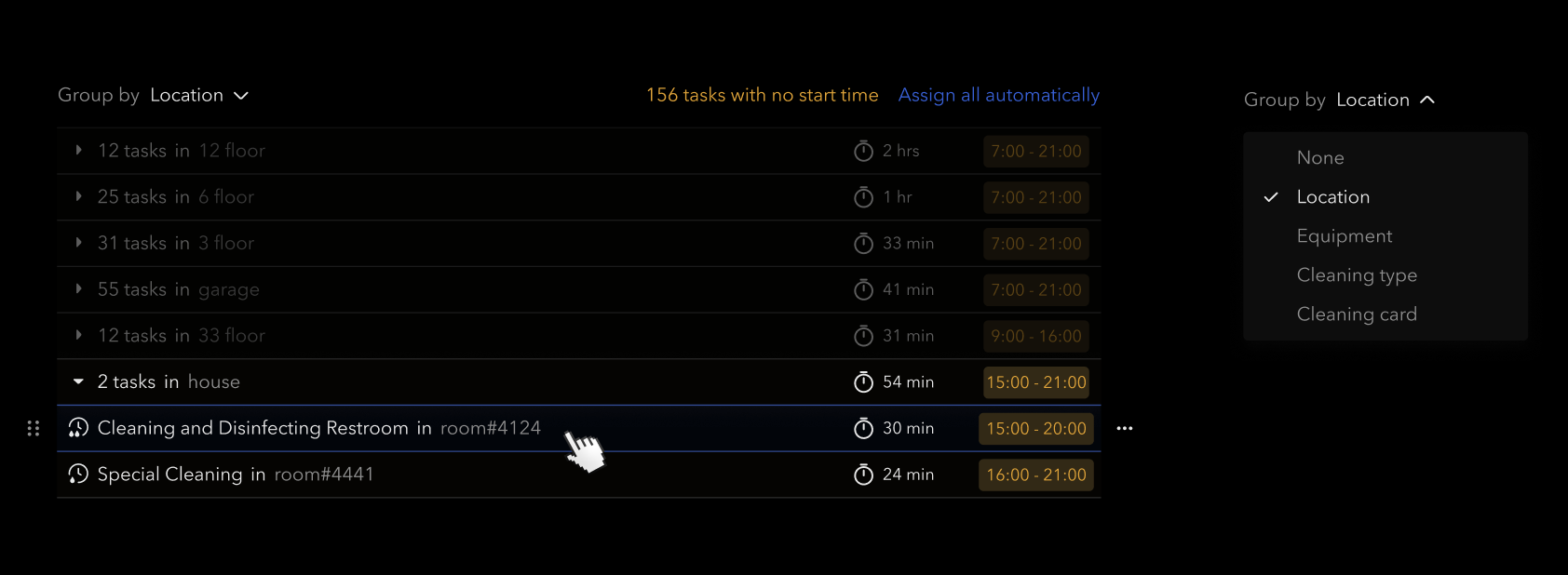
Zoom & Compact Cards: Incorporated zoom functionality and reduced task card height for improved usability with a large number of tasks.

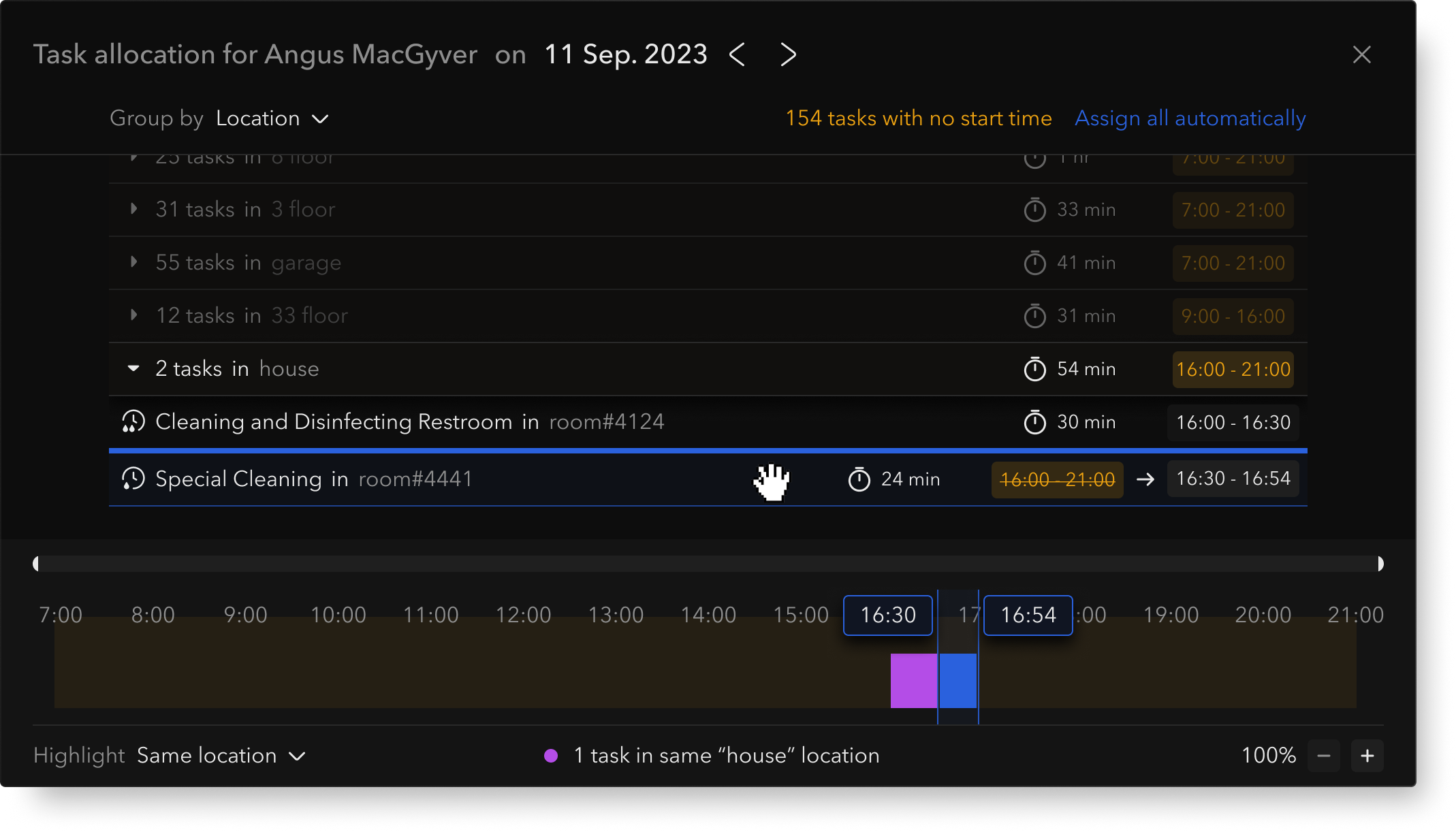
List–Timeline Sync: Tasks no longer vanish from the list. Synchronization with the timeline allows users to move tasks within either view.
Testing
- Scenario 1 — Limited Time Slots: Simulate a situation with only 2 tasks lacking available time slots in the desired order. Assess user actions to resolve this constraint.
- Scenario 2 — Bulk Task Distribution: Test system efficiency with 150 tasks lacking time slots, requiring manual distribution.
Conclusion
The task allocation screen underwent crucial enhancements to accommodate varied user behaviors and task complexities, aiming to streamline the allocation process and improve overall efficiency. This case showcases iterative design: identifying issues, forming hypotheses, implementing solutions, and planning future testing.
Question Saving Options
Problem
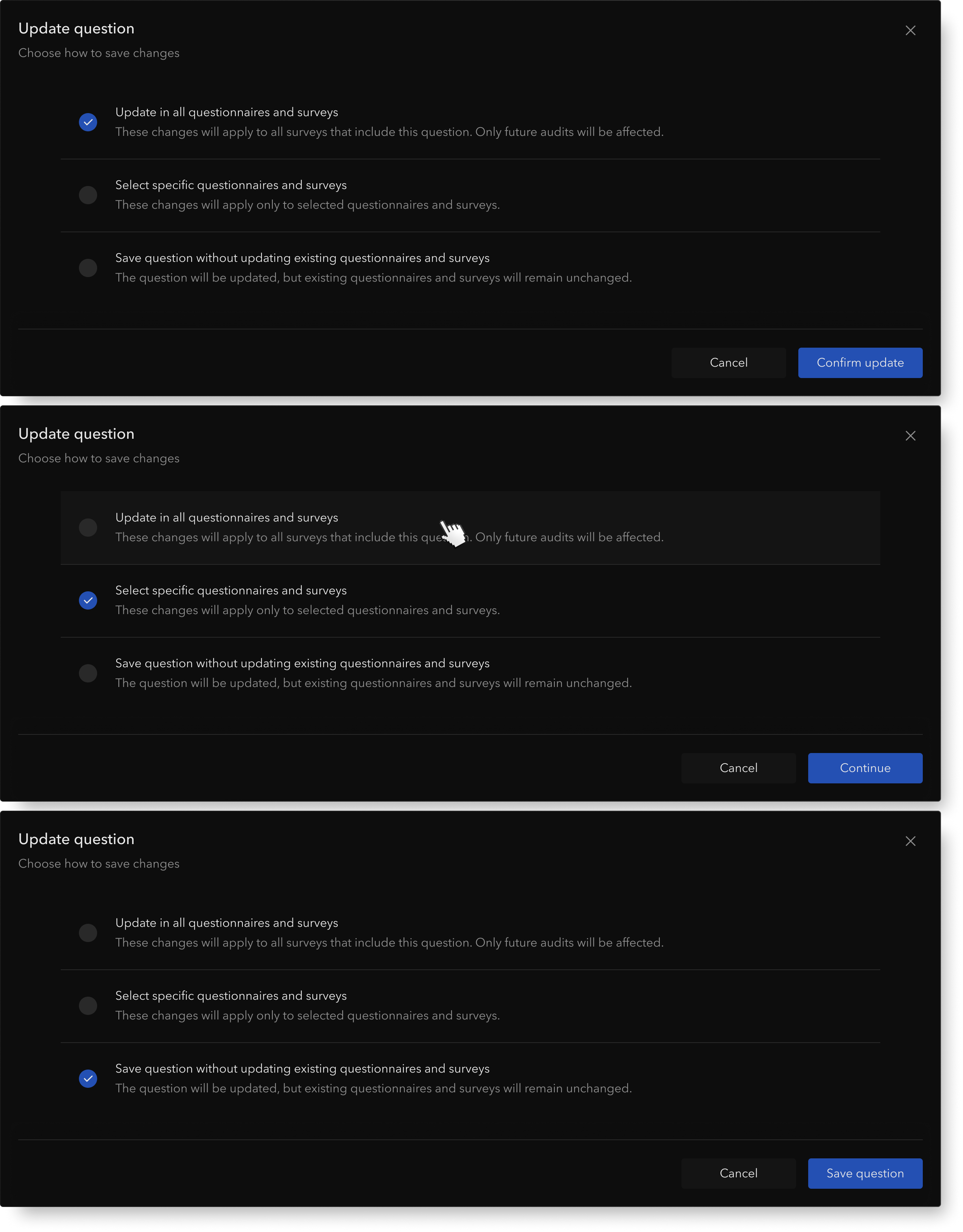
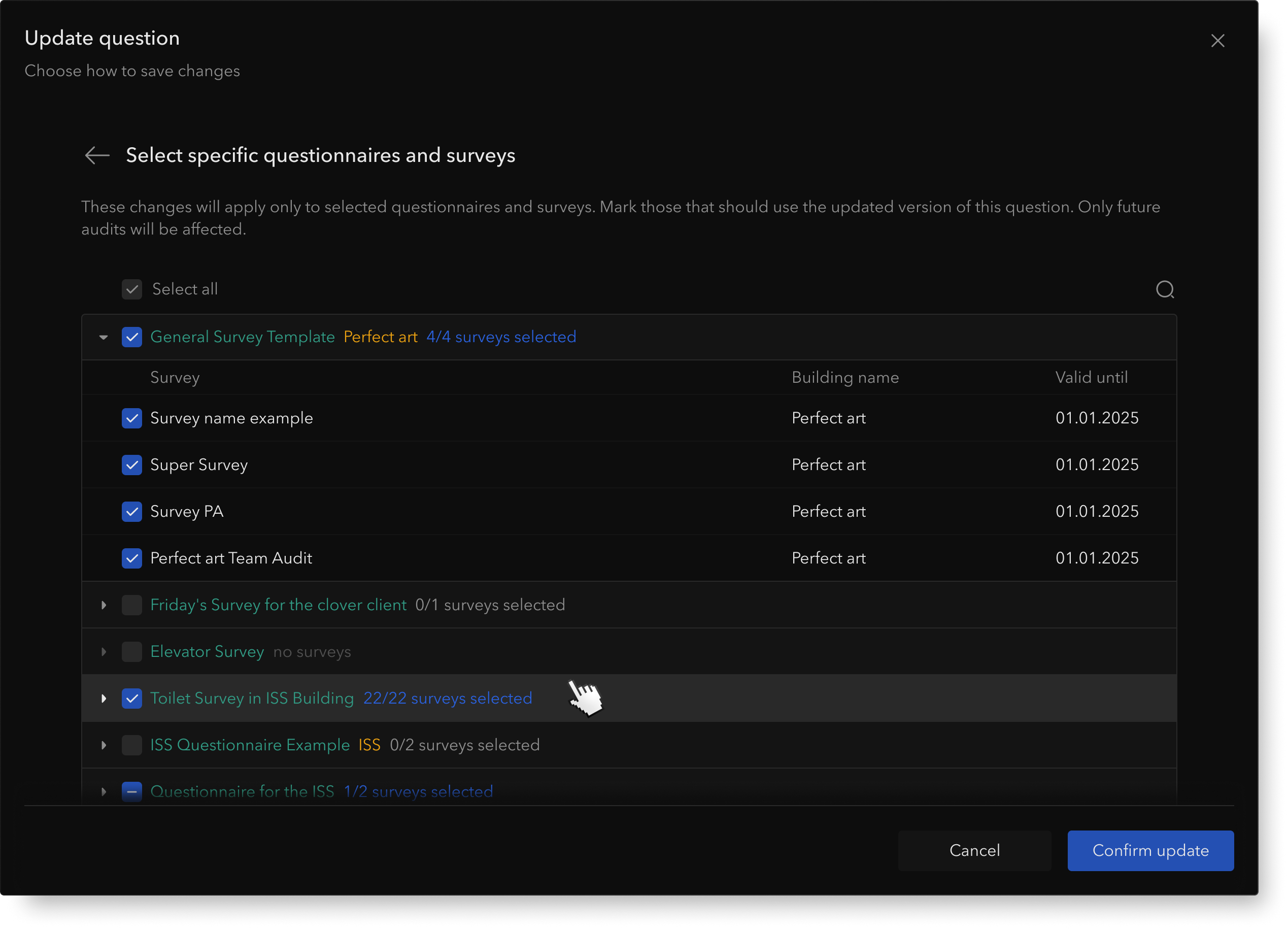
Pure Space's original workflow automatically pushed every wording change to all surveys referencing the same question. While this guaranteed consistency, it left teams with zero control: sales and account managers often needed to tweak wording only for specific sites, but the platform offered no way to target those updates.
As a workaround, teams duplicated questions — creating a tangle of near-identical items that muddied reporting and inflated maintenance costs.
User Research
I interviewed cleaning managers who routinely maintain surveys. Two themes dominated:
- Fear of breaking things: Many teams avoid editing shared questions because one tweak can silently change data in live surveys across other buildings.
- Need for control: Users want granular targeting — apply a revision to new audits only, keep historical surveys intact, or limit the change to specific locations.
Edge Cases
- Surveys in Progress: Ongoing audit instances should not be affected mid-stream to avoid confusion.
- Historical Data Integrity: Past audit results remain tied to the original question version — changes apply only going forward.